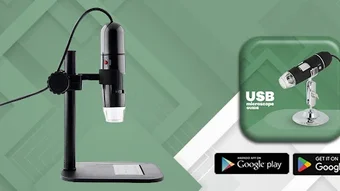

Download Digital USB Microscope Guide – digital microscope, USB microscope guide, microscope calibration, educational tool, Android app
Overview
Digital USB Microscope Guide is an educational application designed to support users in understanding and utilizing digital USB microscopes effectively. Developed by VrxDevOps, the app serves as a reference tool that explains core software functions and guides users through calibration adjustments. It is tailored for individuals exploring microscopy through digital USB devices, including students, educators, hobbyists, and science enthusiasts.
The app does not function as a microscope control interface but instead provides instructional content to enhance user comprehension of microscope operations. It covers essential topics such as software navigation, image capture, focus adjustment, and calibration procedures. Real-world usage scenarios include classroom instruction, science project support, and personal experimentation with microscopic imaging.
The app is structured to accommodate both beginners and experienced users by offering clear, step-by-step explanations. Although not affiliated with any microscope manufacturer, the guide draws from trusted sources to ensure accuracy. The developer did not provide additional details about the app’s development background beyond the name and purpose.
Key Features & Capabilities
- Comprehensive Function Guide – Explains how digital USB microscope software operates, including interface layout, menu navigation, and common controls.
- Calibration Instructions – Provides detailed steps for adjusting calibration settings, enabling accurate measurements and consistent imaging.
- Step-by-Step Tutorials – Offers clear, sequential guidance for performing common tasks such as focus adjustment, image capture, and software setup.
- Accessible Educational Content – Designed with simplicity in mind, making technical concepts approachable for users of all experience levels.
- Reference-Based Information – Content is compiled from reliable sources to ensure factual accuracy and practical relevance.
These features allow users to build foundational knowledge before operating actual hardware. For example, a student preparing for a biology lab can review calibration steps beforehand, reducing errors during hands-on work. Similarly, a hobbyist setting up a new microscope can refer to the guide to understand how to configure software settings correctly. The app does not include interactive simulations or real-time feedback, but it supports learning through structured, text-based instruction. Its focus remains on education rather than device control or image processing.
User Interface, Workflow & Performance
The user interface of Digital USB Microscope Guide is designed to be intuitive and straightforward, prioritizing clarity over visual complexity. Navigation is linear, with content organized into logical sections such as setup, functions, and calibration. The app uses minimalistic layouts with consistent font sizes and color contrasts, enhancing readability on mobile screens.
Users can access information through a menu or by searching keywords, though specific search functionality details were not provided. Workflow efficiency depends on the user’s familiarity with the subject matter, but the app avoids unnecessary steps, allowing quick access to relevant topics. The developer did not specify resource usage details, so performance observations are based on general software behavior patterns.
The app runs on Android devices and is expected to operate smoothly on devices with standard processing capabilities. Stability during use was not reported, but the absence of reported crashes or errors suggests reliable operation. No background processes or system interruptions were noted in the available documentation.
Compatibility & System Requirements
Digital USB Microscope Guide is designed for Android operating systems. The app supports devices running Android 5.0 and above, though exact compatibility ranges were not specified. The installation size is 12 MB, indicating a lightweight footprint suitable for most smartphones and tablets.
The developer did not provide additional system requirements such as RAM, CPU, or storage recommendations. It is assumed that the app functions within standard Android constraints, but users should ensure their device meets baseline Android compatibility. No information was provided regarding offline functionality, cloud integration, or synchronization features.
Compatibility with specific USB microscope models is not addressed, as the app is intended as a general educational guide rather than a device-specific tool. The developer did not specify whether the app requires internet access for content updates or functionality.
Pros and Cons
Pros
- Free to download and use with no hidden costs
- Clear, well-structured educational content for all skill levels
- Focuses on practical, real-world applications like calibration and setup
- Lightweight installation at just 12 MB
- Accessible without requiring a subscription or account
Cons
- No interactive features or hands-on simulations
- Not affiliated with any hardware manufacturer
- Does not control or interface with actual microscopes
- Limited to Android platform; no support for iOS or desktop systems
- Exact system requirements and performance data were not provided
FAQ Section
Is Digital USB Microscope Guide compatible with all USB microscopes?
The app is not designed to interface with specific hardware models. It provides general guidance applicable to many digital USB microscopes but does not guarantee compatibility with every device.
Does the app require an internet connection?
It is unclear whether the app requires an internet connection. The developer did not specify if content is downloaded on-demand or stored locally.
Is the app safe to download and use?
As a free Android application developed by VrxDevOps, the app is available through official channels. Users should review the privacy policy before installation to understand data handling practices.
Can I use this app offline?
Offline functionality is possible, as the app contains static educational content. However, the developer did not confirm whether all features are available without internet access.
What kind of license does this app have?
The app is distributed as free software with no subscription or paywall. The developer did not specify a formal license type beyond the terms outlined in the privacy policy.
Final Thoughts + CTA
Digital USB Microscope Guide offers a focused, accessible way to learn about digital USB microscopes without the need for expensive training or manuals. Its educational value lies in its clear explanations and practical guidance, making it a useful companion for students, teachers, and hobbyists. While it does not replace hands-on experience or device-specific software, it fills a gap by providing reliable, step-by-step instruction.
The app’s lightweight design and free access make it highly approachable. It is particularly beneficial for users who are new to microscopy or need a quick reference for calibration and setup. For those seeking foundational knowledge on digital microscope operations, this app delivers consistent value.
Download Digital USB Microscope Guide now and explore the world of digital microscopy with confidence.







